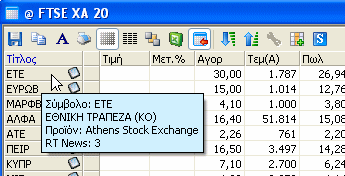
Symbol Description by moving the cursor over the Name
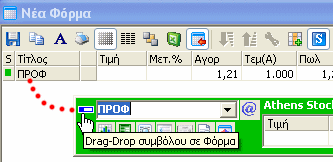
Symbol transfer to a form, from the window of "Quick Search"
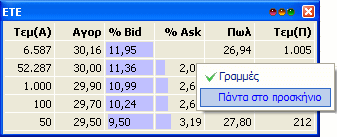
Select "Always in the front" for the dynamic window
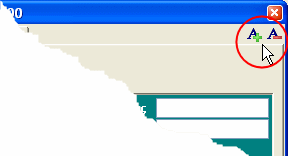
Font size Change on the "Symbol View"
GlobalSoft innovates again and introduces a new version of Monopoly, the leading real time data feed application - Monopoly 2008. The new version is enriched with new characteristics and has a new look. The new features of the application are listed below:
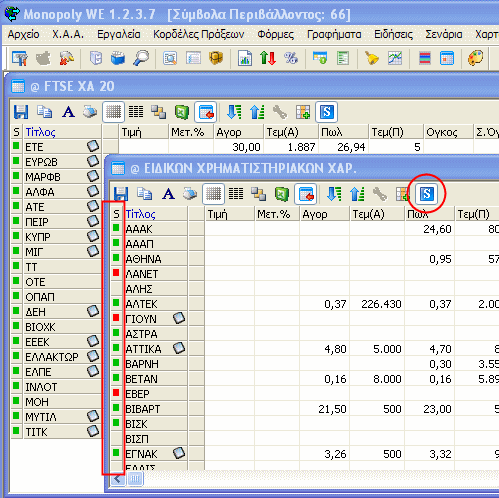
ASE share Status
The user is constantly aware of the status of a selected share.| Colour | Status |
| Dark Green | Active |
| Orange | Temporary On Hold |
| Light Green | Re-activate The Status Following a Temporary Hold |
| Red | Under Supervision. (the share is not for trade) |
User-Definable Alert notifications
Visual Alerts
By utilising a share form, the user can easily define and set a new alert.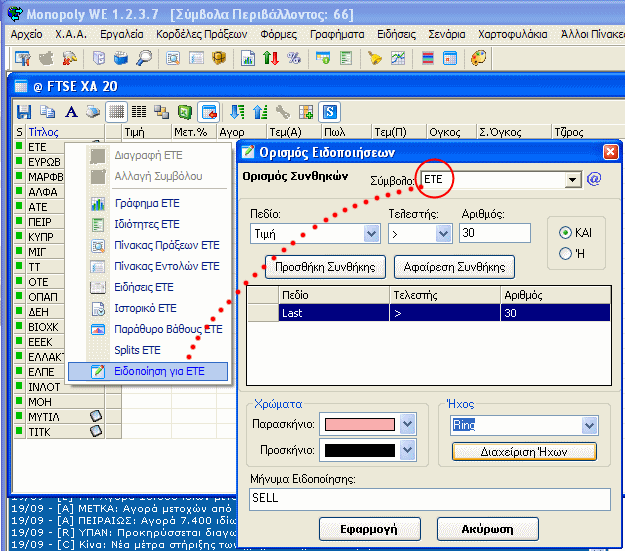
Sound alert notification
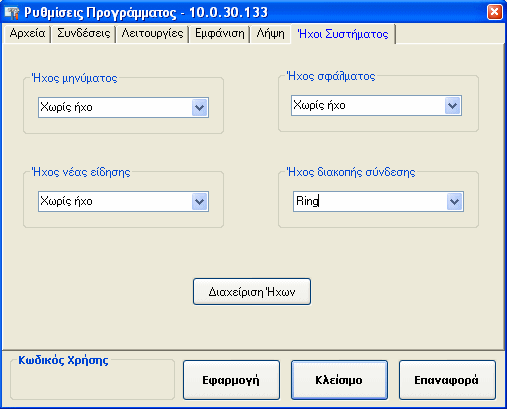
Every notification can be set to have a different sound alert, so that the user can distinguish the severity or origin of the change without having to check on the screen.Sound Management
One of the new features in Monopoly is the option “Sound Management”.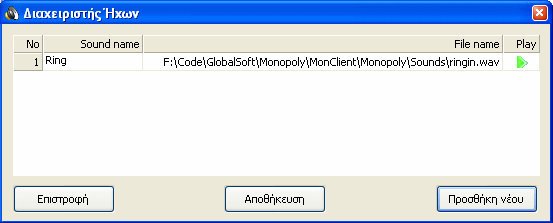
News vendor selection/identification
Monopoly is the only software that provides all of its users with news feed continuously from 4 different vendors who continuously increase in numbers. The user has the option on the news feed window to select the vendor by choosing to view either all news or selected vendor. Further value added service is provided to users, by having inbuilt to the system the initial of each vendor in front of the piece of news that appears on the screen. With this type of indication the user can identify the source for each piece of news.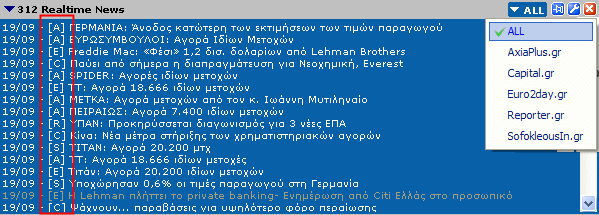
|
Symbol Description by moving the cursor over the Name
|
Symbol transfer to a form, from the window of "Quick Search"
|
|
Select "Always in the front" for the dynamic window
|
Font size Change on the "Symbol View"
|
New Fields appear on the ASE index bar
The new fields added in the ASE index bar can be selected by the user and include: Higher Price, price,
Lower Price , Volume and Daily Turnover.

64bit Operating System
Monopoly users can use the application on
64bit platform, Windows 2003 x64, Windows XP Pro x64 and Windows Vista x64 (all versions).
Monopoly (from the new version 1.2.3.8) is operable in two different versions, one as a
32bit application and one as a 64bit.
The 64bit application is faster over the 64bit respective operating systems due to better system resource administration.
Other modifications
Apart form the new above modifications the new Monopoly version provides the users with the following characteristics as well: